Case study · 2024—ongoing
AI as a design practice
I started using AI to analyze more research and prototype ideas faster. Over time, those experiments became repeatable systems for research, persona-based critique, prototyping and implementation — and changed how I approach design itself.
01 · The starting point
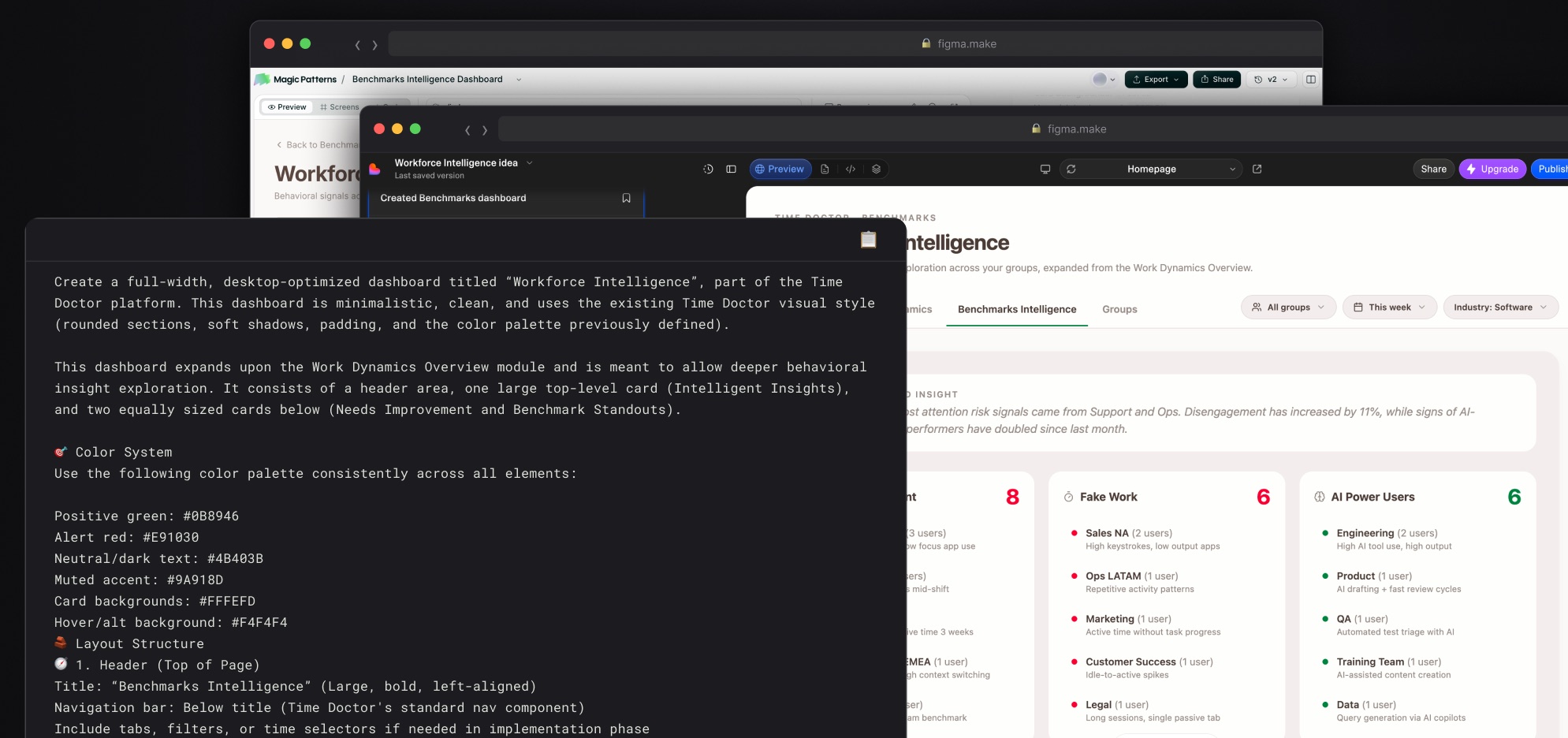
I first used AI to summarize customer-call transcripts and look for UX patterns. Meanwhile Chainsaw, Time Doctor's R&D team, needed to move fast — so I used early generative tools like Lovable to turn discussions into interactions instead of slide decks.
As the tools improved and Time Doctor encouraged wider AI adoption, I started looking systematically for parts of the design process where AI could remove repetitive work, expose patterns, or make ideas testable sooner.
AI started as a way to process more. It became a way to extend what I could do as a designer.
The operating principle
I define the system first: the goal, the evidence, the rules and the guardrails. AI does the heavy lifting inside those boundaries; the designer remains the decision maker.
AI can accelerate the work. It cannot be the source of truth.
02 · Finding journeys in existing research
Recruiting customers specifically for journey-mapping research was difficult. But customers were already describing their work in onboarding, support, sales and Customer Success calls.
The method
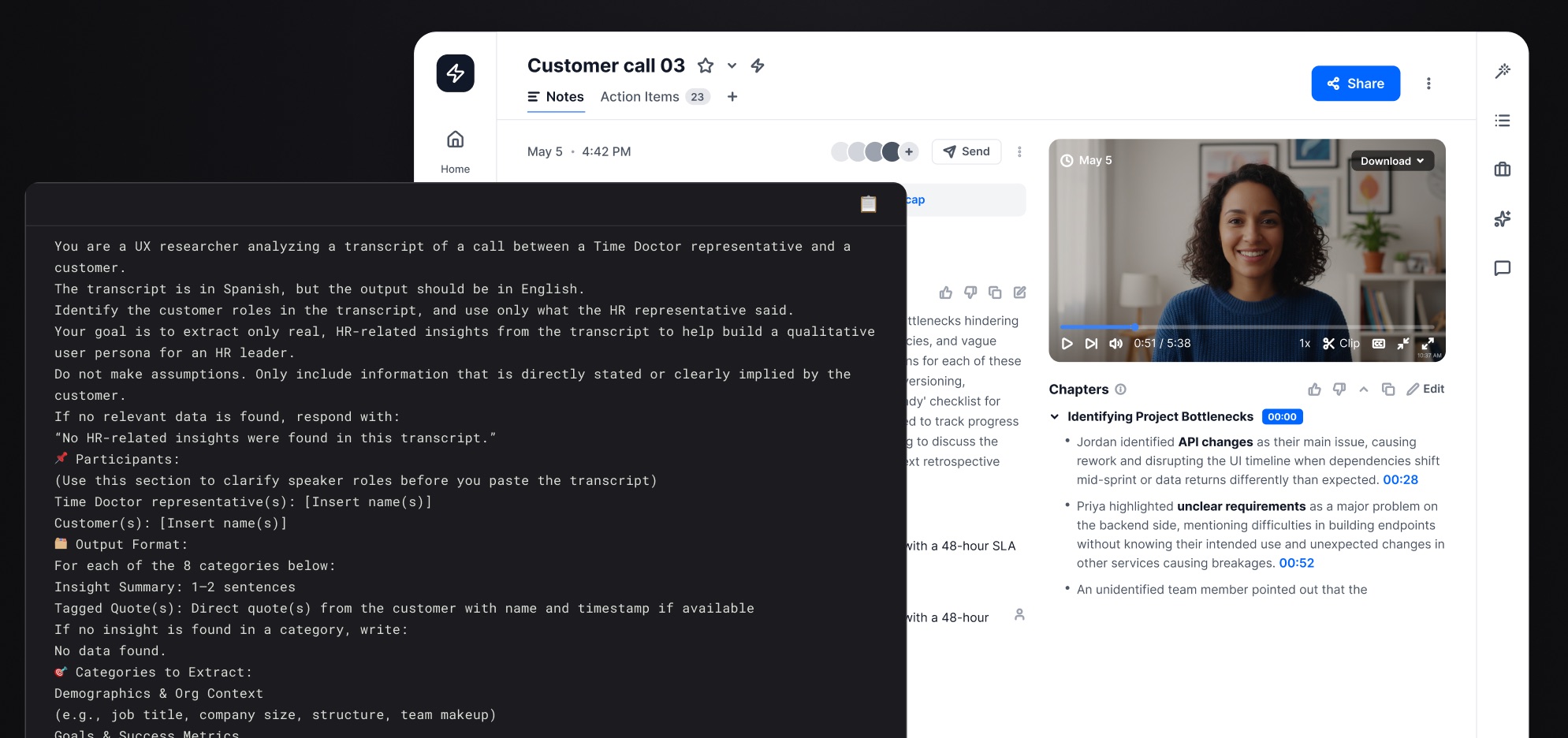
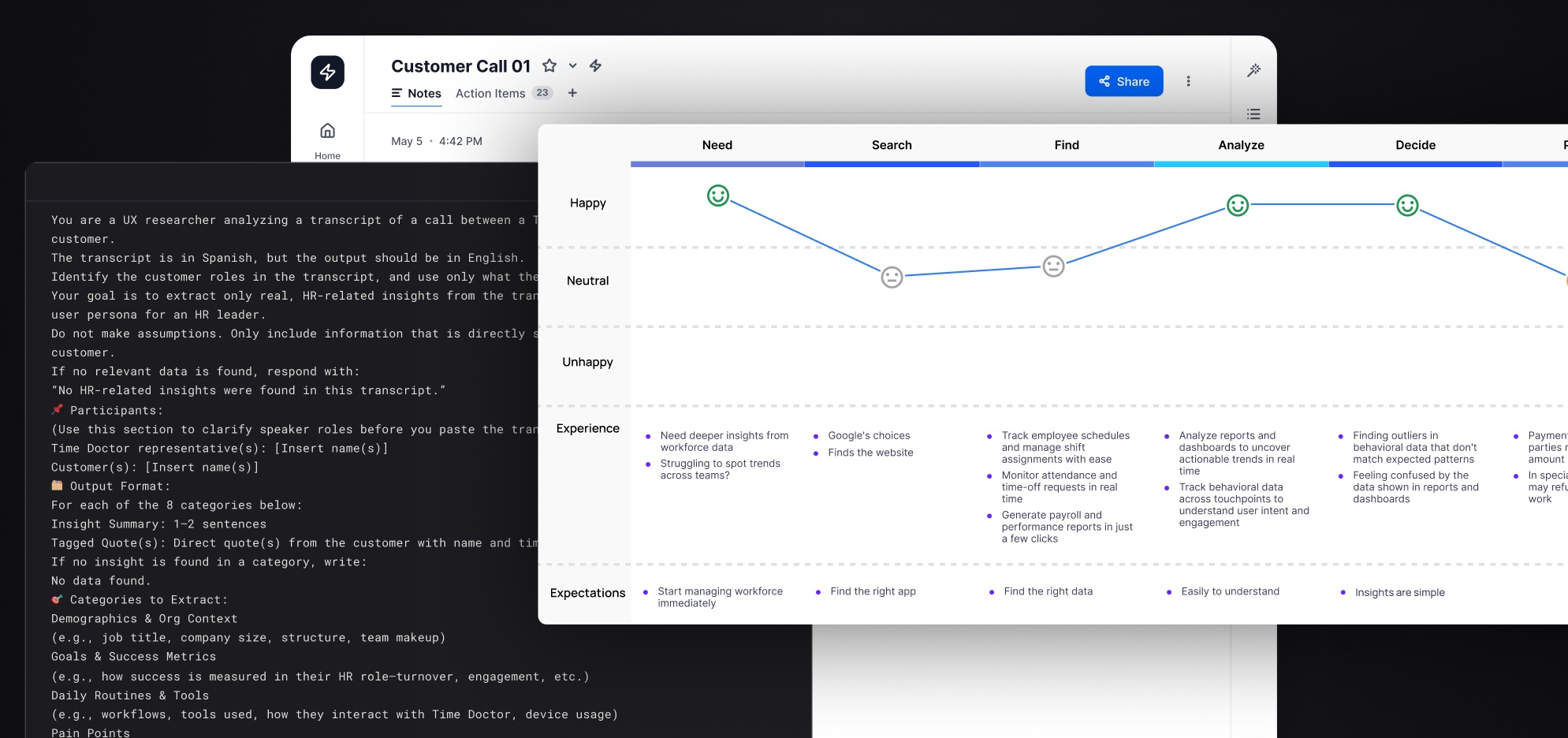
I manually reviewed calls first and selected recordings where users clearly described a process. Once I understood what useful evidence looked like, I used AI to analyze 30+ selected calls and extract recurring patterns.
AI structured the evidence. I assembled and interpreted the journey.
What came back was a set of comparable structures, not a finished map:
- Goals
- Steps
- Touchpoints
- Motivations
- Friction
- Mental models
Two of the opportunities it surfaced
-
01
Connected reports
Managers wanted to connect Web & App Usage with Activity Summary when investigating individual contributors, but the reports lived separately.
-
02
Investigation starting point
Managers often began investigations from the User Dashboard, but its widgets did not follow the sequence of questions they were actually trying to answer.
Both became documented design opportunities and went to the product and design teams that owned those areas.
I documented the method in the Research Repository so another designer could reproduce the process without me.
03 · From Synthetic Personas to Persona Lens
I first encountered synthetic personas in a workshop where a Custom GPT was given a simple persona description and asked to role-play. The conversational idea was useful, but the evidence underneath it was too thin.
I approached it the other way around: build the persona from research first, then make that evidence conversational.
What it was built from
- Direct persona interviews.
- Patterns extracted from dozens of customer calls.
- Existing research already in the repository.
Outer · Protection
Held the line against prompts designed to derail the persona or extract what sat underneath it.
Middle · Behavior
Kept the GPT answering in character instead of drifting back into a generic assistant.
Core · Evidence
The evidence-backed persona: goals, behaviors, context, frustrations, mental models, tools and representative quotes.
Persona Lens
When Time Doctor standardized around Claude, I rebuilt the idea as a Claude Skill called Persona Lens. The important change wasn't technical.
A destination you had to visit.
Context you could invoke inside the work you were already doing.
- “What would an HR leader at an established company think about this?”
- “Review this flow as an HR leader at a small business. What doesn't align with this user's needs, pain points or language?”
The useful experiments stopped being experiments. They became part of how other people worked.
Persona Lens carried the existing Time Doctor personas and could be shared through the company's Claude organization, so PMs and designers could use it without setting anything up.
It was never intended to replace real users. It was a first filter — for challenging assumptions, reviewing concepts, anticipating concerns, and making scarce customer conversations more valuable.
04 · Prototyping with AI
Using each tool for what it does faster
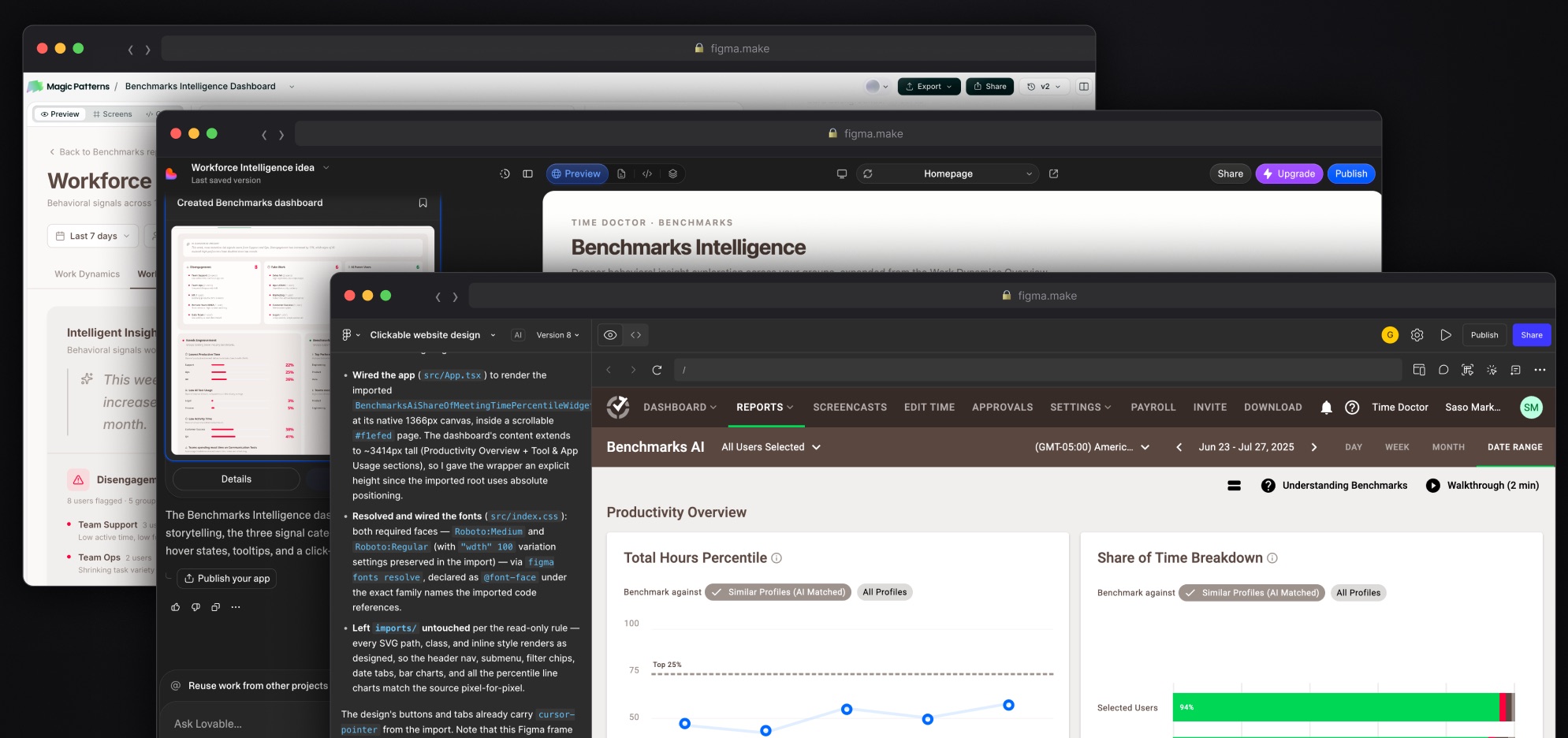
Early Figma Make outputs drifted easily from the Time Doctor UI, so I created reusable prompts and templates for common components and interactions rather than starting from a blank prompt every time.
From there the work settled into a round trip. If moving something takes seconds in Figma, prompting it is slower. If building the interaction by hand takes longer, AI gets that part.
The question stopped being “Can AI do this?” and became “Which of us is faster and better at this part?”
The practical gain was timing: higher-fidelity interactions could go in front of users sooner, while the direction was still cheap to change.
- Figma Make — generate and explore ideas quickly
- Figma — make precise visual changes faster by hand
- Figma Make — add interaction and behavior through AI
05 · From design rules into code
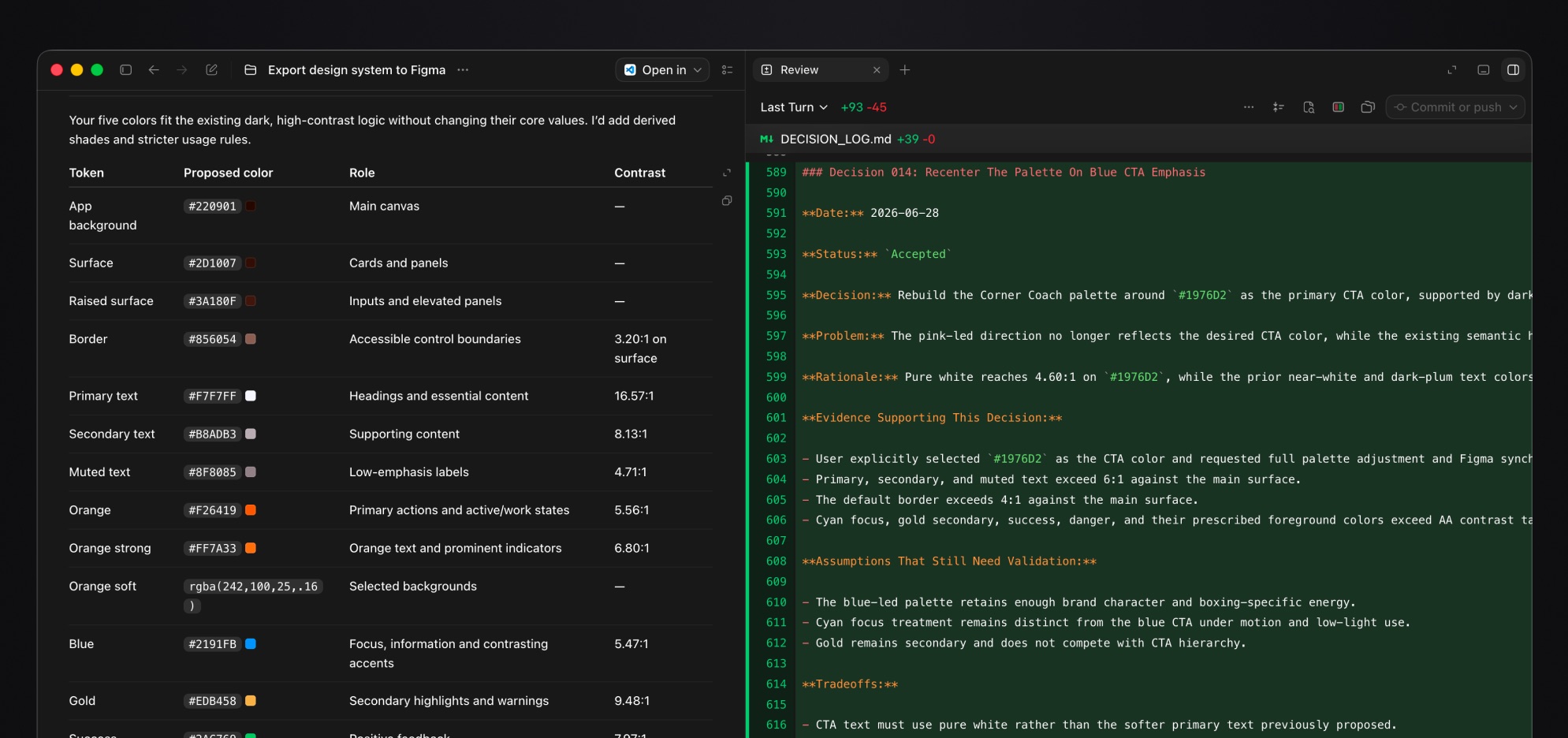
Instead of expecting an AI tool to remember how a design system works, I started documenting the rules themselves.
- Design tokens stored in Markdown.
- Figma variables reflecting those tokens.
- Design-system rules documented in
.mdfiles. - Changes synchronized back into the documented system where appropriate.
- Codex and Claude Code reading those files as design context.
This made it possible to move between Figma, Codex and Claude Code without relying on any one AI product to carry the entire design system in its memory.
Where the line sits
Working closer to code doesn't replace engineering. It reduces the translation distance between design and engineering.
Before leaving Time Doctor, I was already making AI-assisted code changes within the existing review and approval process — enough for designers to improve UX details without treating production as a playground.
I'm applying the same approach more fully in my Corner Coach boxing app, where design-system governance, tokens and AI rules are being defined together from the start.
06 · What changed in my practice
When I started using AI, I expected its biggest advantage to be processing larger volumes of information faster.
The more important change was realizing it could act as a collaborator across research, prototyping and implementation — as long as I remained responsible for the system around it.
The tools will change. The system for working with them is what survives.
A workflow I use today may be obsolete in weeks. What carries forward is the ability to understand the human problem, structure the work, define the guardrails, inspect the output and decide what happens next.
AI doesn't notice hesitation in an interview, understand what exhaustion feels like after a long commute, or know when someone says one thing but means another because they can't quite put the problem into words. That's still the designer's job.
I don't want AI to make the final decision for me. I want the best parts of what it can do and the best parts of what I can do to make the decision better.
AI-assisted
- Structuring evidence across dozens of calls
- A first pass through a persona's point of view
- Building interaction into a prototype
- Implementing against documented design rules
Mine to decide
- Which problem is worth solving
- What the evidence actually means
- What a user meant but didn't say
- What ships, and what doesn't
Screens are mockups or sanitized · No customer or employee information